AI website builder
An AI website builder, from a simple page to bookings and payments
Describe your website and Glassly writes it: the pages and, when it needs them, bookings, card payments, sign-in, a database and forms that reach you. Check it on a free test link, then put it live on your own domain.
What it makes
The working parts, written for you
Pages for every screen
They work on phones and computers. Every page is built into finished HTML with its own title and description, so it opens fast and search engines can read it.
Sign-in and a database
Visitors make an account with an email and password, or with Google once you add your Google keys. What they save lives in the website’s own database, and each person sees only their own.
A booking system
Classes, appointments or tables with places that run out, a page of each person’s bookings, and an owner’s area to run it when you ask for one.
Card payments
Visitors pay by card for an order, a booking or a donation. The money goes to your own Stripe account, so Stripe’s fee is the only one.
Forms that reach you
A contact or enquiry form sends what people write to your email, and keeps it in the website’s Messages.
Your photos and logo
Add your own photos and logo in the website’s settings, then ask for them in a change: “put our bread photo on the home page”.
Your own domain
Hosted on your own domain, with https for www and for the domain without www. Your email records stay as they are.
AI on the page
Glassly AI can answer questions, read a photo or make a picture on your website, with no key to set up.
Changes you can undo
Every change shows on the test link before it goes live, and a live website can go back to an earlier version.
Made with Glassly
Websites that do something
Made from one sentence
A yoga studio that takes bookings
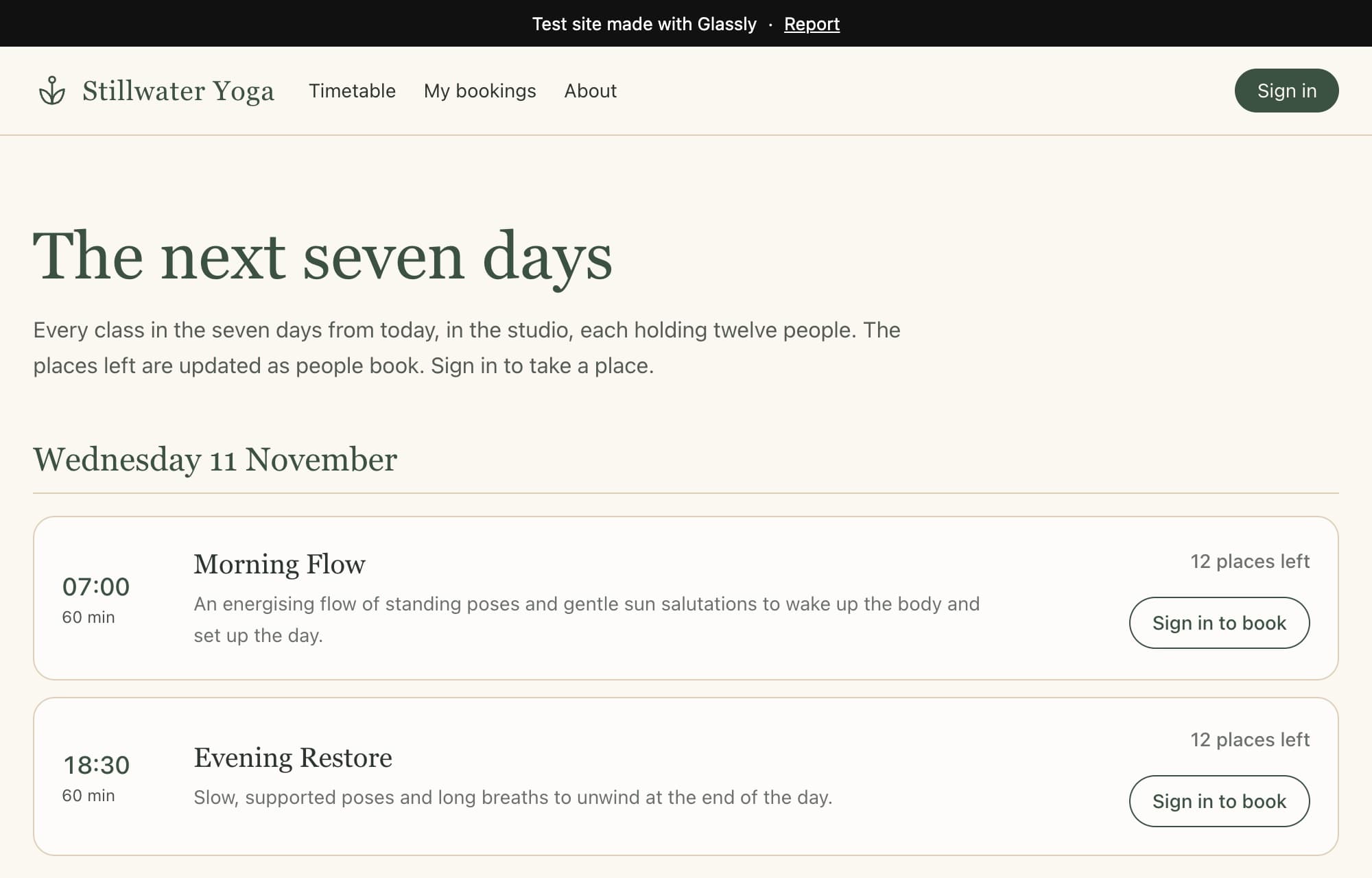
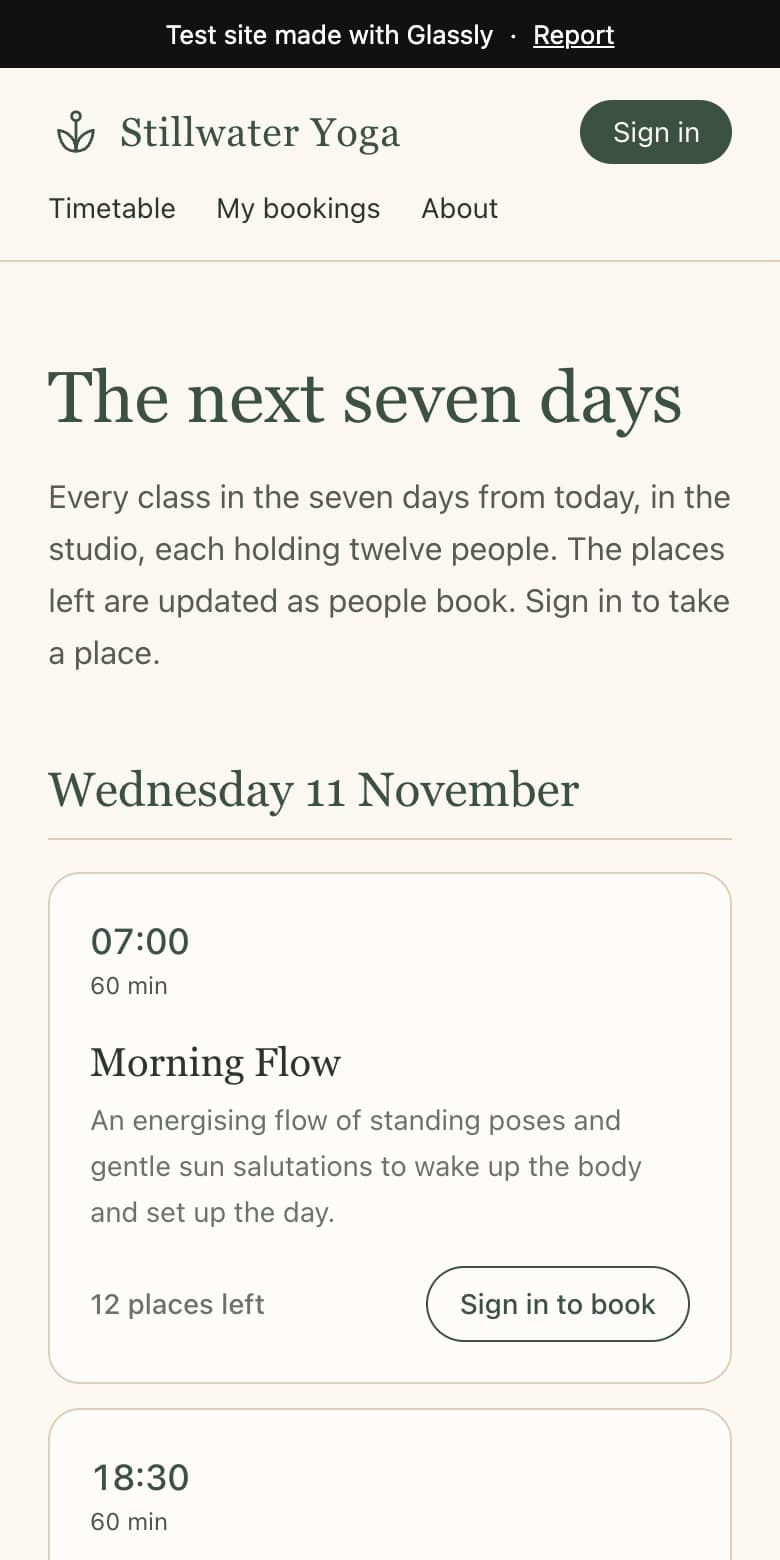
It began as “a yoga studio where people book one of three weekly classes, twelve places in each”. Visitors make an account, book a place and see their bookings, on a computer or a phone.
Make a website with a booking systemAccounts, photos and AI
A recipe club for members
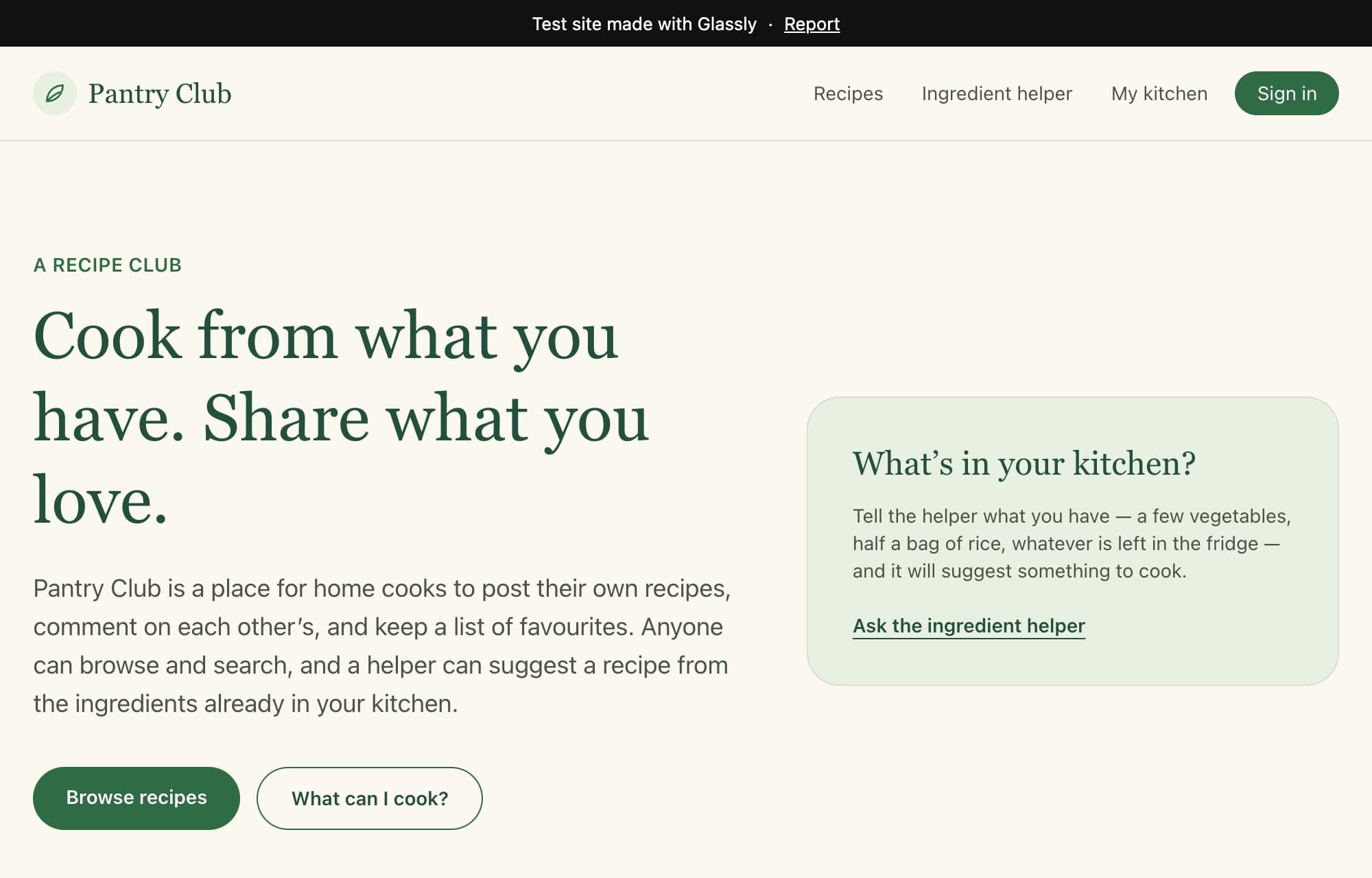
Members sign in, post recipes with their own photos and keep favourites, and a helper suggests what to cook from what is in the kitchen.
How to make a website with AIHow it goes
From a description to your own domain
Step 1
Describe it
Say who the website is for and what they come to do, the pages you want, what visitors save, and how it should look. A few lines are enough to start.
When your words ask for something a website cannot do yet, you are told before anything is made, and offered the website without it or a phone app that has it.
Worth saying
- Who it is for, and what they do there
- The pages: a home page, a timetable, a contact form
- What visitors save: accounts, bookings, orders, messages
- The look and the name
Step 2
Check it on a test link
The website is on its own test link as soon as it is made, at its name on glassly.site. Open it on your phone, sign up as a visitor and try it.
A change is a message in chat: “show the next seven days”, “add a page for prices”. Each change shows on the test link first.
The test link
- Costs nothing extra
- Kept out of search engines
- Stays for 30 days after your last change
Step 3
Put it live on your own domain
Add your domain on the website’s Publish page. It shows the two records to add where you bought the domain, one for www and one for the domain without www, and checks them when you press Check.
A website that keeps what visitors save moves its data to your own Supabase account before it goes live, so the data is yours. Then start hosting, and the website is live the moment the three are ready.
With hosting
- https for www and for the domain without www
- Your email and other records stay as they are
- A live website’s database is kept awake
Step 4
Keep changing it, or take it with you
Ask for changes in chat whenever you like. Each change shows on the test link first, you put it live when you are happy with it, and a live website can go back to an earlier version.
The whole website downloads from its settings as a project that builds with npm and runs on any static host. Its README says what keeps working away from Glassly and what does not.
It stays yours
- Your own domain
- Your data, in your own Supabase account
- Your code, to download
- Your Stripe account, for what visitors pay
Website and app
A website and a phone app, sharing one sign-in
Glassly is a website and app builder: it makes native iPhone and Android apps as well as websites. Make the website first, then make its phone app from the website’s address.
Choose to share, and people sign in on the phone with the account they made on the website and see the same data. A booking made on the website shows in the app, and one made in the app shows on the website. Or give the app accounts and data of its own.
What an app adds
- Push notifications
- Use without a connection
- Sign in with Apple
- A place on the home screen and in the stores
Questions
What is Glassly’s AI website builder?
You describe your website in a few lines and Glassly writes it: the pages and, when the website needs them, bookings, card payments, sign-in, a database and forms that reach you. You check it on a free test link, change it by chat, and put it live on your own domain.
Can it make a website with a booking and payment system?
Yes. Describe what people book, such as classes, appointments or tables, and the website comes with a timetable, places that run out, and accounts so each person sees and cancels their own bookings. If you charge, people pay by card as they book, through your own Stripe account. An owner’s area to run it is one more message in chat.
Can the website take card payments?
Yes. Visitors pay by card on your website for an order, a booking or a donation, and the money goes to your own Stripe account, so Stripe’s fee is the only one. You connect your Stripe account when the website asks for it.
Can visitors log in, and does the website have a database?
Yes. A website that needs accounts gets sign-in with an email and password, and Sign in with Google once you add your Google keys in its settings. What visitors save, such as bookings, orders or messages, lives in the website’s own database, where each person sees only their own.
What does a website cost?
Making and changing a website uses credits, the same credits as apps: $2.99 for 25 credits paid once, or a monthly plan. Hosting is $5 (£3.99 in the UK) a month for each website on its own domain, with https for www and the domain without www. A test link while you make it costs nothing extra, and a domain is bought separately, from any registrar.
Do I need a subscription to make a website?
No. Making and changing a website uses credits, and you can pay for credits once. Hosting on your own domain is the monthly part, for each live website. You can stop it at any time, and the website stays live to the end of the month you paid for.
Can I use my own domain, and who hosts the website?
Yes. Glassly hosts it on your own domain, for the monthly hosting price above. Add the domain on the Publish page and it shows the two records to add where you bought it: one for www and one for the domain without www. Your email records stay as they are, and https is set up for both.
Can I export the code and host the website somewhere else?
Yes. The whole website downloads from its settings as a project that builds with npm and runs on any static host. Sign-in and saved data keep working through your own Supabase project. Forms that reach you go through Glassly’s hosting, so elsewhere they need a form service of your own; the download’s README says which is which.
Can I have a phone app for my website?
Yes. Glassly makes the native iPhone and Android app of a website. For a website made here the app can share its accounts and data: people sign in on the phone with the account they made on the website, and a booking made on one shows on the other.
Will search engines find my website?
Every page is built into finished HTML with its own title and description, so search engines can read it. The test link is kept out of search engines, and the website can be found once it is live on your own domain.
Can I undo a change I do not like?
Yes. Every change shows on the test link first, so nothing reaches your visitors until you put it live. A live website keeps its earlier versions, and you can put one back from its Publish page.
What can a website not do yet?
Some things only a phone app does today, such as push notifications, use without a connection, Sign in with Apple and calls. When your words ask for one of them you are told before anything is made, and offered a Glassly app, or the website without it. A paid members-only area is not made on a website yet.
Describe your website
Sign in next. Your words are kept, and nothing is made until you press Make it.