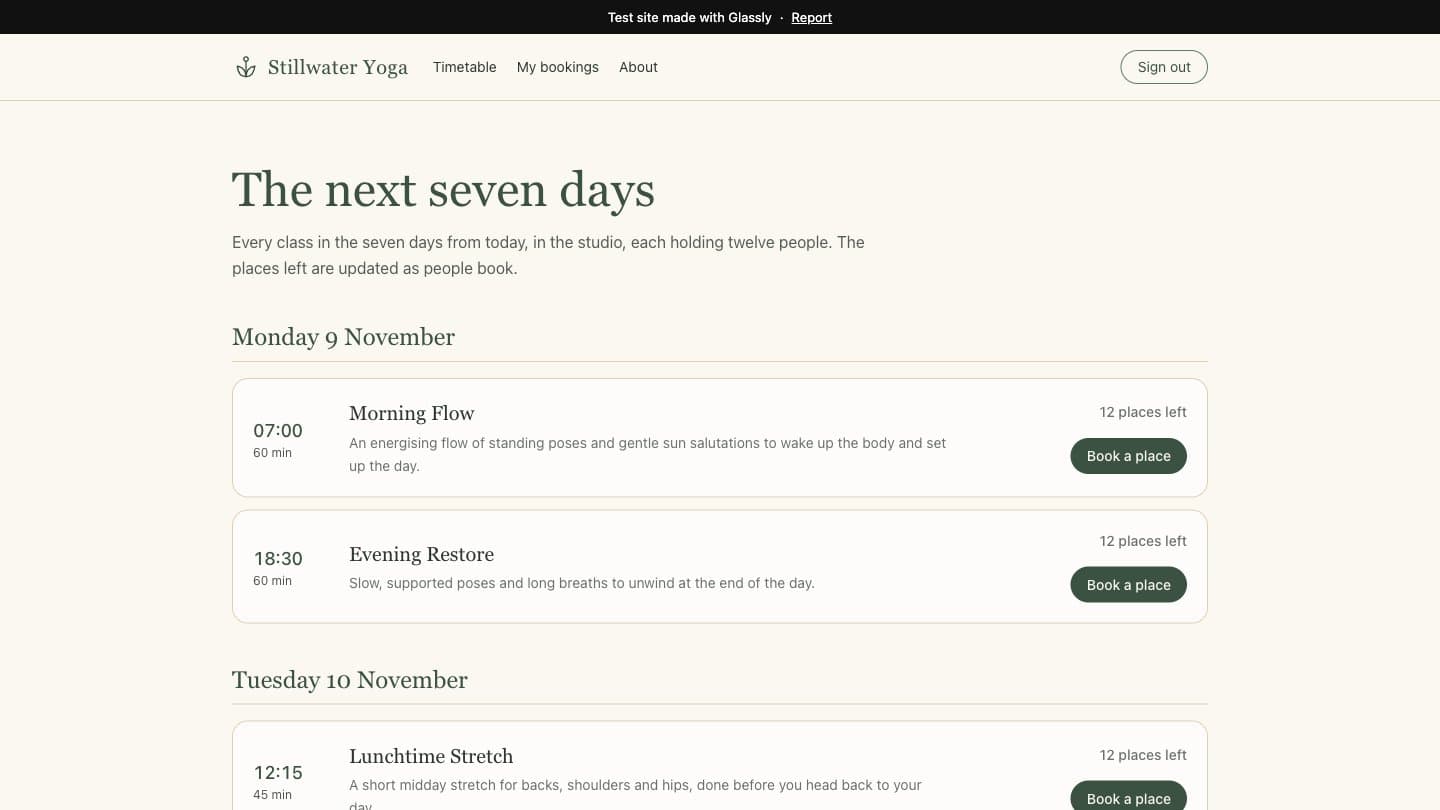
A website with a booking system lets people see what is on and take a place: a class, an appointment, a table. You can make one without coding by describing it to Glassly, which writes the pages, the accounts and the database the bookings live in, or by adding a booking add-on to a website builder.
What a booking system needs
- A timetable or calendar that shows what is coming up, never what has passed.
- Places that run out: a class of twelve shows how many are left and stops at twelve.
- Accounts, so each person sees and cancels their own bookings, and nobody else’s.
- An owner’s view: who booked, and a way to add or change what is on.
- A note to the owner when someone books, and payment at booking if you charge.
Making it by describing it
A yoga studio’s website made with Glassly began as a few lines: “a yoga studio where people book one of three weekly classes, twelve places in each”. It came with a timetable, sign-in, booking and cancelling, and a page of each person’s bookings. An owner’s area to manage the classes was one more message in chat, and the owner claims it in the website’s settings. If you charge for a place, say so: people pay by card as they book, and the money goes to your own Stripe account.
Making and changing a website uses credits, the same credits as apps: $2.99 for 25 credits paid once, or a monthly plan.
With a website builder
- Wix: bookings come with Core and up, $29.77 a month billed yearly in US dollars.
- Squarespace: scheduling is Acuity, a separate subscription beside the website plan.
Those prices are from Wix and Squarespace’s own pages on 8 November 2026. The guide to what a website costs sets them beside a domain and hosting.
Putting it live
A booking website keeps its data in its own database, which moves to your own Supabase account when it goes live. Hosting on your own domain is $5 (£3.99 in the UK) a month for each website on its own domain. Connecting your domain takes two records.