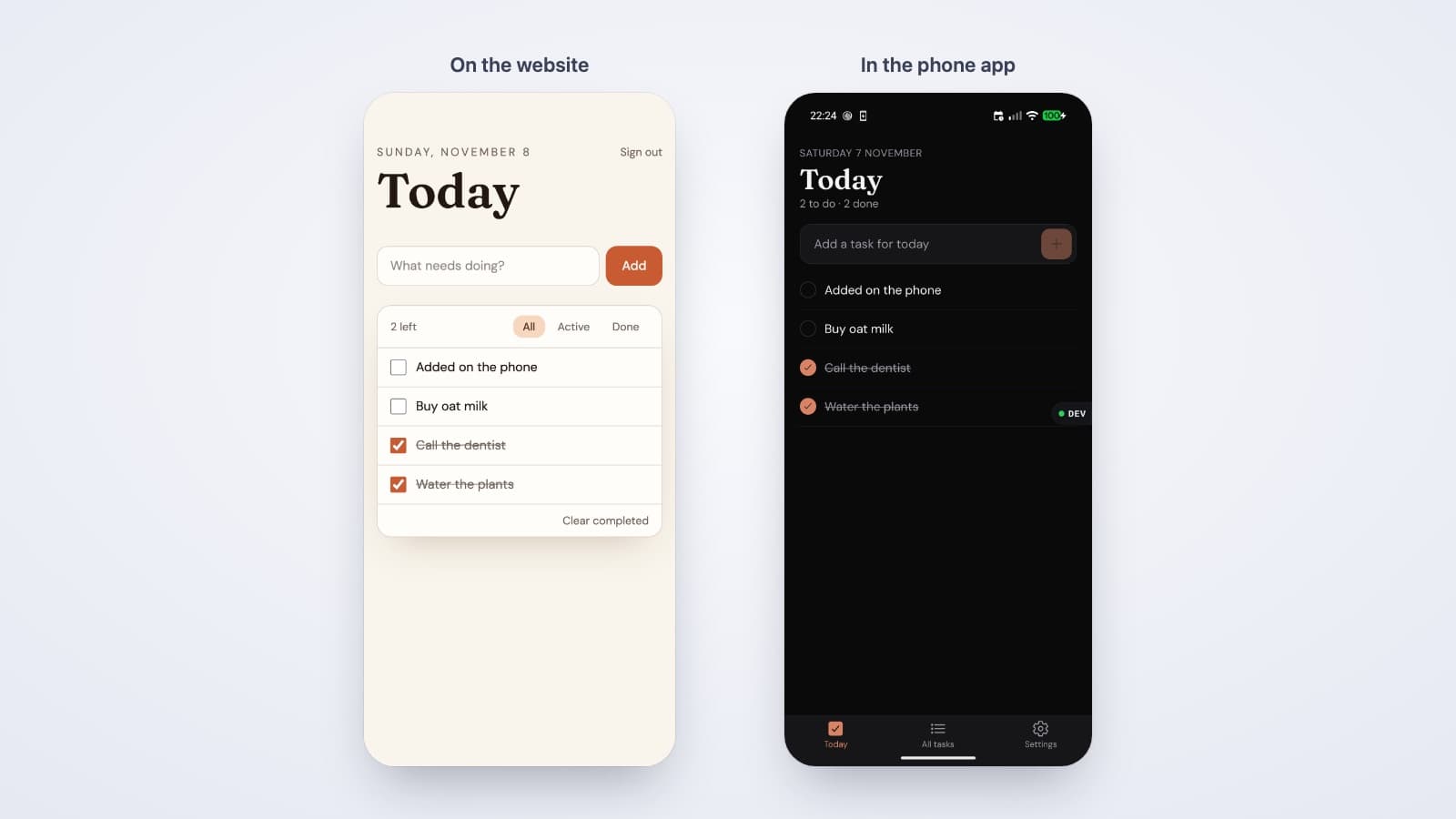
Short answer: Lovable makes web apps, and Glassly makes the phone app from one. Paste your published Lovable site's address on Glassly's website start, choose “Use them”, and the app signs people in with the accounts they made on your site and shows the same data. A task added on the phone shows up on the website, and one ticked on the website is ticked on the phone.
Before you start
- Publish the Lovable project. Glassly reads the published site (your name on lovable.app, or your own domain), not the editor's preview.
- On Lovable Cloud, people sign in on the phone with email and password. Google and Apple sign-in stay on the website, because Lovable manages those settings.
The steps, as they happen
- Paste the address. The free check takes a few seconds and says what it found, for example “A Lovable site with a Supabase backend. 3 pages.”
- Choose “Use them” and start the map. Glassly reads your pages and the code they load, and plans the app's screens and data. For a three-page site it took about half a minute and 1 credit; the check shows the most a map can cost first.
- Prove the site is yours. Glassly gives you one prompt to paste into Lovable's chat. It adds a tag to the head of your pages. Publish, then press Check again.
- Choose Lovable Cloud. Glassly has no access to a Lovable Cloud project, so it asks for one read of how your database is built. In Lovable, open the project menu, then Database, Manage and SQL editor. Paste Glassly's schema read, run it, and paste the one value it shows back into Glassly. It reads tables, columns and row rules, never your rows.
- Build. The price is shown before you press. The app uses your existing tables and your row rules, so each person sees only what the website lets them see.
- Install and sign in. Put the app on your phone from your workspace and sign in with an account from your website.
If your Lovable project runs on your own Supabase
Connect your Supabase account read only instead of running the schema read. Glassly finds the project your website uses and reads how it is built. It never changes a table, a rule or a setting there.
What stays on the website
Anything that runs on your website's own server, such as a TanStack Start server function behind a form, stays on the website, and the plan lists it before you build. Emails and payments your website sends keep working there as they do now.
Why not add the site to the Home Screen?
A Lovable web app can be added to a phone's Home Screen, and for some sites that is enough. A native app is in the stores under your name, can send notifications, and has screens made for the phone. If you are still choosing a builder, see Glassly, Lovable and Bolt for mobile apps. For every other route into the stores, wrappers included, with what each costs, see Lovable app to the App Store.